

Setting up a webhook
Define a webhook in Emailgistics Admin and attach it to a mailbox rule.
The Webhooks feature is off by default. Contact Emailgistics support to have it enabled for your account.
Once enabled, two roles are involved. System administrators create webhook definitions in Admin (URL, secret, included data). Mailbox administrators then attach those webhooks to rules on the mailboxes they manage.
Defining a webhook
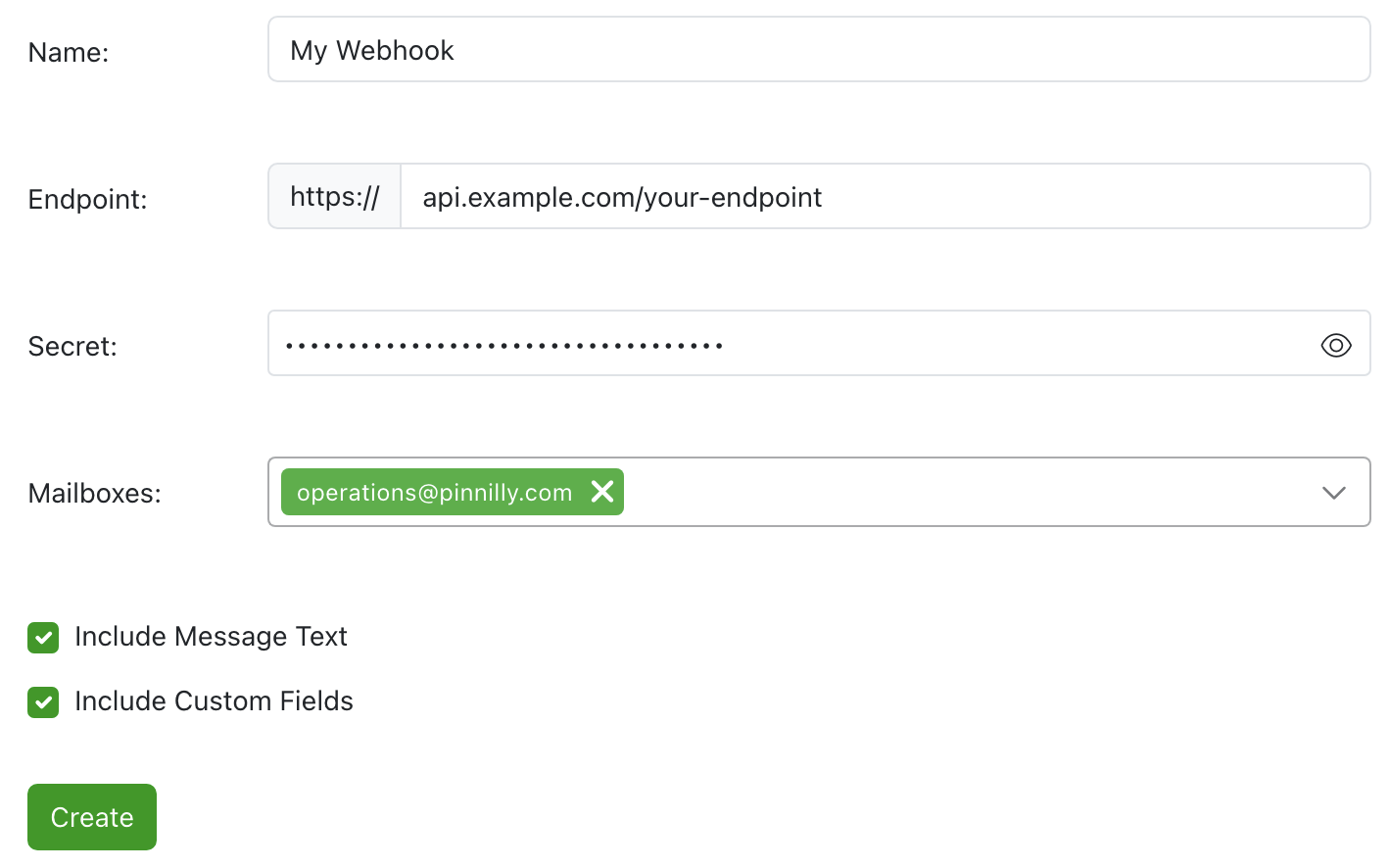
Sign in to Emailgistics Admin as a system administrator and select Webhooks from the menu.
Click Add Webhook and fill in:
- Name — the label that appears when selecting the webhook in rules.
- Endpoint URL — your HTTPS endpoint. The protocol is fixed to
https://. - Secret — we recommend at least 16 characters mixing letters, digits, and symbols. Optional but strongly recommended. Sent in the
Authorization: Bearer ...header on every delivery. - Mailboxes — the mailboxes whose rules can use this webhook. Mailboxes outside this set won’t see the webhook in their rule editor.
- Include message text — if checked, Emailgistics includes the plain-text message body in the delivery payload as
bodyText. Off by default. - Include Custom Fields — if checked, Emailgistics includes the conversation’s
customFieldsmap in the delivery payload, when values are present.
Click Create.
Click Test Webhook to send a canned sample received-event payload to your endpoint, signed with your configured secret. Emailgistics POSTs the payload, reads your response, and validates that it contains the required status and message fields.
- On success, Admin shows “Success! Mock request sent and webhook response received and validated.” along with a summary of the actions your endpoint returned.
- On failure, Admin shows the underlying error — connection error, non-200 from your endpoint, malformed JSON, missing
statusormessage, or astatus: "error"response (in which case yourmessageis shown verbatim).
Attaching a webhook to a rule
The webhook only fires when a mailbox rule with a Use webhook action matches an incoming message. Create one in the mailbox’s Rules section:
The webhook now fires whenever a matching message arrives.
Rotating the secret
Rotate the webhook secret periodically. Coordinate the swap so traffic isn’t dropped:
Permissions, briefly
| Role | Can |
|---|---|
| System administrator | Create, edit, delete webhook definitions; pick which mailboxes can use each webhook. |
| Mailbox administrator | Use a webhook in mailbox rules, but only webhooks whose definition lists their mailbox. |